
Free tools for every step of a trade, from the lot size to the broker and the chart.
Tools and links checked on 15 October 2026
Which Free Forex Tools Do Traders Use Most?
NinjaBull, the currency strength meter and LocalTime were the three most used ForexFanClub tools in the 30 days to 14 October 2026.
Most used tools
 1NinjaBullIn your browserNinjaBull is a free AI dashboard that shows its outlook for gold and Bitcoin for the next 24 hours, with the news behind it.Open NinjaBull ›
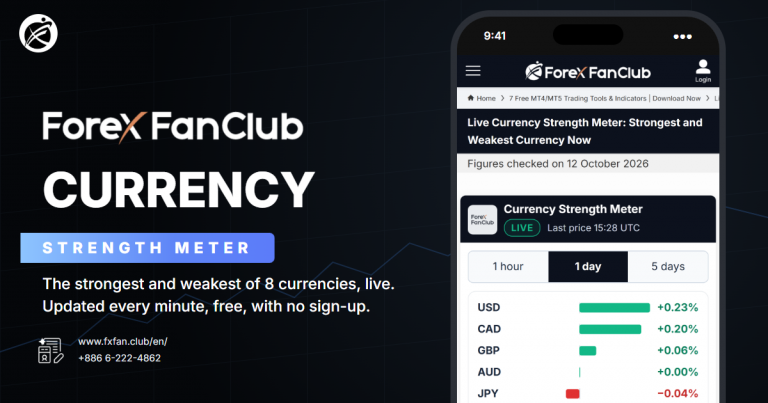 2Currency Strength MeterIn your browserThe currency strength meter ranks 8 currencies every minute, picks the pair with the widest gap and shows the cheapest trading account for it.Open the meter ›
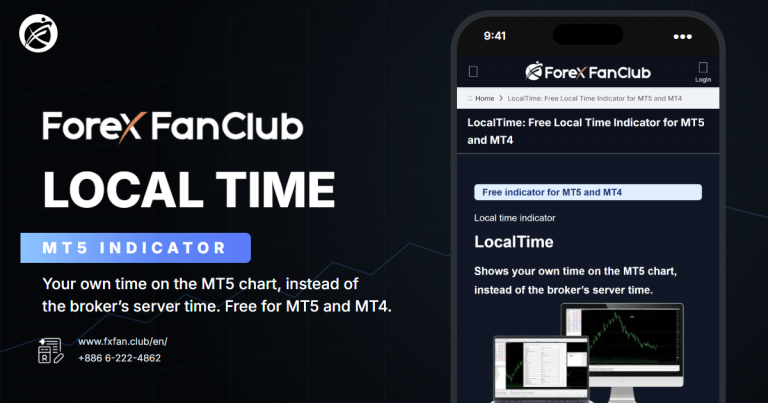 3LocalTimeDownload for MT5 and MT4LocalTime shows your own local time on the MT5 chart instead of the broker’s server time, with session lines and a price grid.Get LocalTime ›
Ranked by visitors in the 30 days to 14 October 2026.
What do you want to do?
Where Can You Check the Market Before a Trade?
For gold and Bitcoin, NinjaBull shows an AI outlook for the next 24 hours, and for forex pairs, the live currency strength meter shows the strongest and the weakest of 8 currencies. Both are free and run in your browser.
NinjaBull reads economic data and news every hour and shows buy, sell or wait for gold and Bitcoin. If you run an EA, the NinjaBull API sends the same outlook as BUY, SELL or WAIT with a score, so your EA can use it as a news filter.
The currency strength meter does more than rank 8 currencies. It picks the pair with the widest gap between the strongest and the weakest currency, shows whether the 1 hour, 1 day and 5 days periods all point the same way, and shows the cheapest trading account for that pair at our four brokers right now.
So start from the 1 day period. In the meter’s own data, the strongest currency on 1 day was still the strongest one hour later 76% of the time, against 11% on the 1 hour period, so a move on 1 day is the one more likely to last.
The currency strength meter compares currencies. To compare whole markets, the best forex pairs to trade ranking shows which pairs, gold and stock indices move the most for their trading cost, from our own price feeds. To choose when to trade, the best time to trade map shows which hours of the day move the most for the spread you pay.
Before you place a trade, the forex market hours page shows whether a market is open right now, and when it closes and reopens at each broker in your own time zone.

NinjaBull
In your browserNinjaBull is a free AI dashboard that shows its outlook for gold and Bitcoin for the next 24 hours, with the news behind it.
Currency Strength Meter
In your browserThe currency strength meter ranks 8 currencies every minute, picks the pair with the widest gap and shows the cheapest trading account for it.

Best Forex Pairs to Trade
In your browserThe ranking shows which forex pairs, gold and other markets moved the most for their trading cost over the last 5 trading days, from our own price feeds.

Best Time to Trade
In your browserThe map shows the spread and the price move of each hour of the day for gold, forex pairs and stock indices, in your own time zone.
Forex Market Hours
In your browserThe page shows whether gold, forex pairs, stock indices and shares are open now at each broker, and when they close and reopen in your time zone.
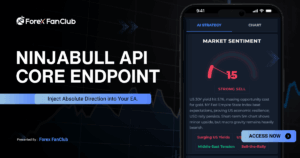
NinjaBull API
API for MT5 and MT4 EAsThe NinjaBull API sends the NinjaBull outlook for gold and Bitcoin to your EA as BUY, SELL or WAIT with a score.
Which Free MT4 and MT5 Indicators Help on the Chart?
ForexFanClub has four free indicators for MT5 and MT4, and each one does a job that MT5 does not do on its own: your local time, breakout alerts, a quick switch between types of moving average and the time left on a candle. You download them from the page of each indicator, with no registration.
The source code of all four is free to read and change, as .mq5 files for MT5 and .mq4 files for MT4. So you can check what an indicator does before you add it to a chart. Install them in MT5 or MT4 on a computer, because the MT5 app on a phone cannot run them.
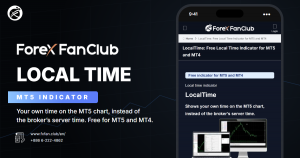
LocalTime
Download for MT5 and MT4LocalTime shows your own local time on the MT5 chart instead of the broker’s server time, with session lines and a price grid.
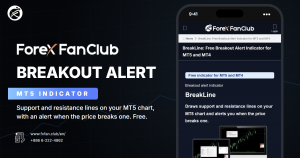
BreakLine
Download for MT5 and MT4BreakLine draws support and resistance lines and alerts you when the price touches a line or a candle closes beyond it.
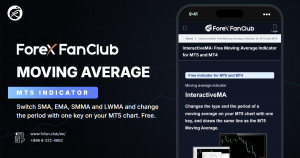
InteractiveMA
Download for MT5 and MT4InteractiveMA switches a moving average between SMA, EMA, SMMA and LWMA and changes its period with one key.
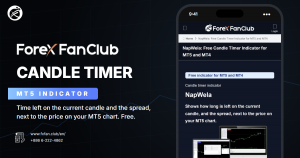
NapWela
Download for MT5 and MT4NapWela shows the time left on the current candle and the live spread next to the price, on every timeframe.
Which Broker Is Cheapest for Your Trade?
On each instrument, the forex rebates ranking shows the cheapest broker and trading account. It adds the spread, the commission and the rebate into the cost of one trade at XM, HFM, XS and Exness.
The narrowest spread is not always the cheapest trade. On gold, the account with the lowest 24-hour average spread and the account with the lowest cost were different, because some accounts charge a commission on each lot.
If you hold trades overnight, check the swap as well. A swap-free account saves money on a gold buy position, but on a gold sell position you lose the swap that a normal account pays you.
If you have not chosen a broker yet, the most popular forex brokers ranking shows which brokers people in your country search for most on Google. Then compare what your trades cost at those brokers with the forex rebates ranking.

Forex Rebates Ranking
In your browserThe ranking shows the cheapest trading account for each instrument at XM, HFM, XS and Exness, after the rebate that you get back.

Swap-Free Brokers
In your browserThis guide shows who can get a swap-free account at each broker, which instruments are covered and how long it lasts.

Lowest Spread Brokers
In your browserThis comparison shows the 24-hour average spread of each broker on gold, EURUSD and 14 more instruments, with the commission added.
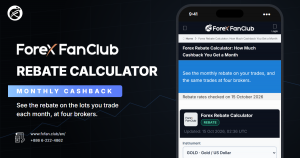
Rebate Calculator
In your browserThe rebate calculator shows the rebate that you get each month for the lots you trade, at the real rate of your trading account.

Most Popular Brokers
In your browserThe ranking shows which forex brokers people in your country search for most on Google, updated every month.
Do You Already Trade With One Broker?
If you already trade at XM, HFM, XS.com or Exness, the pages for your broker show the trading cost after the rebate, the spread, swap and margin of every account type at that broker, so you can check your own trading account in detail.
- XM
Trading cost · Spreads · Swaps · Margin · Account types - HFM
Trading cost · Spreads · Swaps · Margin - XS.com
Trading cost · Spreads · Swaps · Margin - Exness
Trading cost · Spreads · Swaps · Margin
How Can You Close Many Trades at Once?
PidPro closes all your positions on a chart with one click, and it can close them for you at a pip target, a set time, break even or a trailing stop. So you set the exit once, and PidPro closes the trades for you. Keep MT5 open on your computer, because PidPro runs inside MT5.
On gold, PidPro counts one pip as a $0.10 move in the price, so a target of 30 pips closes the trades after a $3 move. MT5 can also close every position from Bulk Operations in the Trade tab, but only when you click it yourself.
PidPro is a free EA for MT5 and MT4, and it closes open positions only, so your pending orders stay in the Trade tab. Unlike the four indicators, PidPro comes as the compiled file only, without the source code.
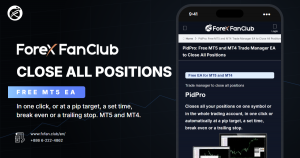
PidPro
EA for MT5 and MT4PidPro closes all your positions in one click, or at a pip target, a set time, break even or a trailing stop.
Which Forex Calculators Do You Need Before a Trade?
Before a forex or gold trade, use three free calculators in this order: the lot size calculator, the margin calculator and the pip calculator. Each one answers a question that the next one needs.
The lot size comes from your stop-loss and the dollars you accept to lose. The margin calculator then shows whether your balance can hold that size, and the pip calculator turns the size into dollars for each pip, so you know what the spread costs before you open the trade.
All three calculators use the lot sizes and prices of our own MT5 trading accounts at XM, HFM, XS and Exness, and that matters on some instruments. On silver, 1 lot is 1,000 oz at HFM and 5,000 oz at XM, XS and Exness. So the same 0.10 lot of silver moves five times as much money at three of the four brokers.
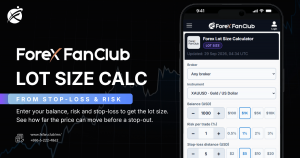
Lot Size Calculator
In your browserThe lot size calculator turns your balance, your risk per trade and your stop-loss into the lot size for forex pairs and gold.
Margin Calculator
In your browserThe margin calculator shows the margin for your lot size at any leverage, and what XM, HFM, XS and Exness ask for the same trade.

Pip Calculator
In your browserThe pip calculator shows what 1 pip is worth in US dollars for your lot size, on forex pairs, gold, indices and crypto.
Which Forex Basics Should You Know Before Your First Trade?
Before your first forex or gold trade, know what your trade size is worth in dollars and how much your balance can lose before the broker closes the trade. The seven guides explain what the numbers from the calculators mean.
On gold, 0.01 lot is 1 ounce, so each $1 move in the gold price changes your balance by $1. With $100 at 1:1000 leverage, gold can move $99.16 against you before XM closes the trade at its stop out level.
So a stop-loss is what protects your balance, because it closes the trade at a price you choose, long before the stop out.
If you want to practise first, a demo account lets you place the same trades with virtual money. Once your plan works there, a cent account is the next step, because it trades real money at 1/100 of the size. When you make your first real deposit, a deposit bonus adds margin that can take part of a loss.
0.01 Lot in Dollars
GuideThe 0.01 lot guide shows what the smallest trade is worth in dollars on gold and EURUSD, and the margin that it needs at 1:1000 leverage.
Margin Call
GuideThe margin call guide shows when XM, HFM, XS and Exness warn you and close your trades, and how far gold can move against a $100 balance.

Pip Value in Dollars
GuideThe pip value guide shows what 1 pip is worth in dollars on EURUSD, USDJPY, gold and Bitcoin, and why a USDJPY pip is worth less.
XAUUSD Pips
GuideThe gold pips guide shows how to count a move in the gold price in dollars, and how to set a stop-loss on gold in dollars.
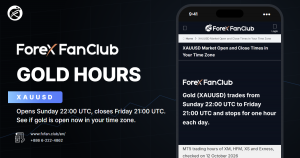
XAUUSD Market Hours
GuideThe gold market hours guide shows when gold opens and closes in your time zone, with the daily break and the winter hours.

Demo Accounts
GuideThe demo account guide shows how long an unused demo account stays open at XM, HFM, XS and Exness, and when to move to a cent account.
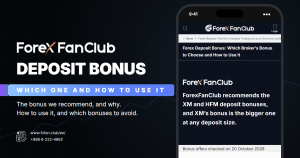
Deposit Bonus
GuideThe deposit bonus guide shows which broker’s bonus to choose, XM or HFM, and how to use a bonus the right way.
Questions People Ask About These Free Tools
- Are these forex trading tools really free?
-
Yes. Every tool on this page is free, with no registration and no time limit.
The calculators, the broker comparisons, NinjaBull and the currency strength meter run in your browser. The indicators and PidPro are files that you download from the page of each tool and use on as many charts as you like.
- Do the indicators work on the MT5 app on my phone?
-
No. The MT5 app on a phone cannot run custom indicators or EAs.
Install the indicators and PidPro in MT5 or MT4 on a computer. The calculators, the broker comparisons, NinjaBull and the currency strength meter work on a phone as well, in your browser.
- Where do the lot size, margin and pip calculators get their prices?
-
From our own MT5 trading accounts at XM, HFM, XS and Exness, refreshed through the day.
Each calculator shows the time of its prices in UTC next to Updated, at the top of the calculator. When a market is closed, the instrument shows Market closed and the calculator uses the price from the last trading session.
How these tools work
- Most used tools
- The number of visitors (users in Google Analytics) to the page of each tool in the 30 days to 14 October 2026. The calculators are new pages, so they have fewer days in the count.
- Lot size, margin and pip calculators
- The lot size, margin and pip calculators use the lot sizes and prices of our MT5 trading accounts at XM, HFM, XS and Exness, refreshed through the day. Updated, at the top of each calculator, shows the time of the prices in UTC.
- Broker comparisons
- The rebates ranking and the lowest spread comparison use the 24-hour average spread of each trading account, with its commission added. The rebate is the amount that ForexFanClub pays back on each account type.
- MT5 indicators and PidPro
- ForexFanClub writes them in MQL5 for MT5 and in MQL4 for MT4. The page of each indicator has the files to install (.ex5 and .ex4) and the source files (.mq5 and .mq4). PidPro has the files to install only.
- Currency strength
- The average % move of each currency against the other seven currencies over the period, from one-minute prices.
- NinjaBull
- One AI model reads economic data and news every 60 minutes, and a second one checks the market every 5 minutes. The outlook covers XAUUSD (gold) and BTCUSD (Bitcoin).
Tools and links on this page checked on 15 October 2026.
Once your rebate account is open, link it to Forex FanClub. The member area lists every rebate payment day by day, across every broker you use. Registration is free and takes an email address.

Produced and operated by Forex FanClub
Person responsible: Hiroki Sakaida, founder of Forex FanClub
Hiroki Sakaida decides what our content and services cover and which features they offer. He also checks content and functionality and decides on revisions and publication. Our Content and Service Policy explains how we produce and check our content and services, including our use of AI.
Risk warning: Forex and CFD trading involve leverage, and you could lose all the money you invest. This article and tool provide information, not investment advice. The amounts shown are calculated from the collected data and do not guarantee the amounts that will apply to your own trades, or any future profit.
Affiliate disclosure: The broker pages linked from this page contain referral links. Forex FanClub receives referral commission based on registrations and trading through those links.