

An Exness demo account is free and comes with registration, with $10,000 of virtual money. Give it the balance that you plan to deposit, so its losses look like your real ones.
Checked on 22 October 2026
This guide covers the Exness demo from the first click to your first real deposit: how to open one, which balance to give it, how to log in on MT5 and how long it lasts.
Your demo trading accounts live in your Exness Personal Area, and if you are new to Exness, registering there opens your first demo.
Contents
How Do You Open an Exness Demo Account?
You open an Exness demo account in your Exness Personal Area in four steps, free and without a deposit. If you have just registered, you already have one, a Standard MT5 demo with $10,000 of virtual money.
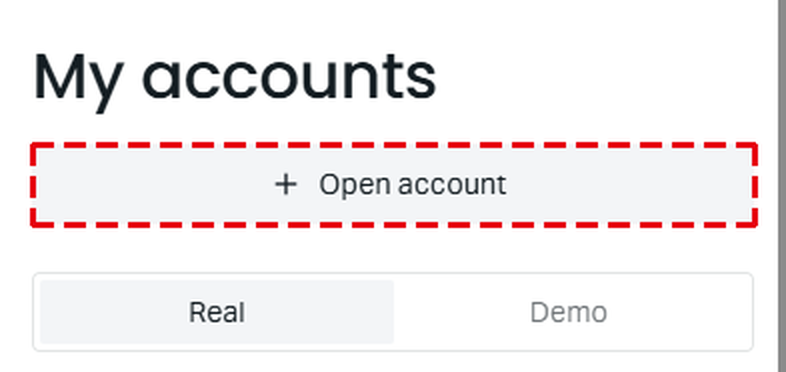
Sign in to the Exness Personal Area (opens in a new tab). It opens on My accounts, so tap Open account at the top.
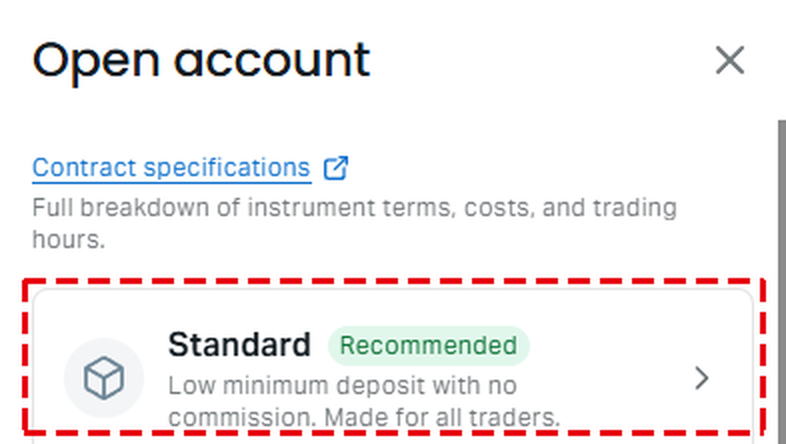
Choose the account type, for example Standard.
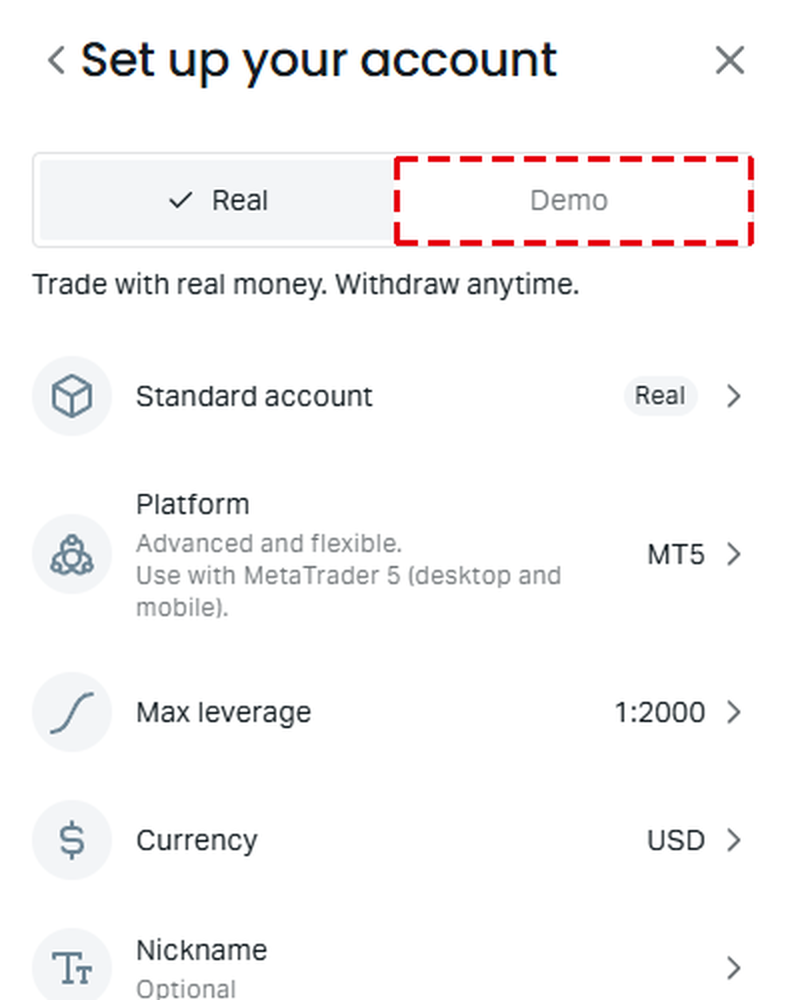
Tap Demo at the top of Set up your account, then choose the platform, the max leverage and the currency.
Set a trading password and tap the yellow button at the bottom.
On a computer, you reach My accounts through Trading and then Accounts in the menu. The other steps are the same.
What Comes With an Exness Demo Account?
An Exness demo account is free, lets you trade with practice money instead of your own, and has no end date while you keep using it.
- Cost
Free. You need no deposit, and the demo uses practice money instead of your own. - First demo
Registration opens a Standard MT5 demo trading account with $10,000. - Account types
You can open a demo of every Exness account type except Standard Cent, which Exness offers only as a real trading account. - Number of demos
You can hold up to 100 MT5 demo trading accounts of each type. - New demo settings
When you create a new demo, the set-up screen fills in a starting balance of $500 and a leverage of 1:2000. You can change both before you create it. - How long it lasts
A demo has no end date while you keep using it. If you stop trading on it and stop changing its balance, Exness deletes it after a while. Exness does not say after how many days, and a deleted demo cannot be restored.
What Balance Should Your Exness Demo Account Have?
The best balance for an Exness demo account is the amount that you plan to deposit, because a loss then takes the same share of your money as on your real trading account.
The same trade loses the same number of dollars on any balance. For example, if you buy 0.01 lot of gold and the price falls $20, you lose $20 on a large balance and on a small one. The table below shows what share of three balances that $20 is.
A $20 loss on 0.01 lot of gold
| Balance | Share lost |
|---|---|
| Registration demo, $10,000 | 0.2% |
| New demo, $500 | 4% |
| Real deposit, $200 | 10% |
On the $10,000 registration demo, you hardly notice that loss. On a $200 deposit, the same loss takes a tenth of your money. So a plan that looks safe on the registration demo can be too risky for a small real trading account.
The lot size sets how large each loss is. The lot size calculator works it out from your planned deposit, the amount that you are willing to lose and your stop loss. Trade that lot size on the demo, as you will on your real trading account.
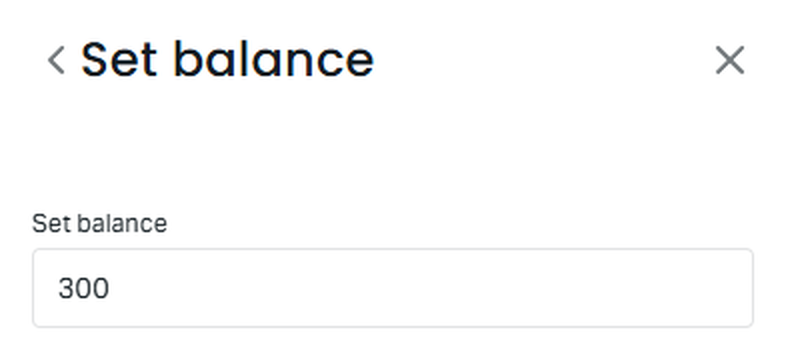
To give your demo the amount that you plan to deposit, use Set Balance on the Demo tab of My accounts. You can raise or lower the balance at any time.
A demo can use Unlimited leverage from the start, but a new real trading account has a maximum of 1:2000 until it meets the Unlimited conditions.
How Do You Log In to an Exness Demo Account on MT5?
You log in to an Exness demo account on MT5 with its MT5 login number, its trading password and a server whose name starts with Exness-MT5Trial. The number and the server are in Settings, under the three-dot icon on the demo trading account.
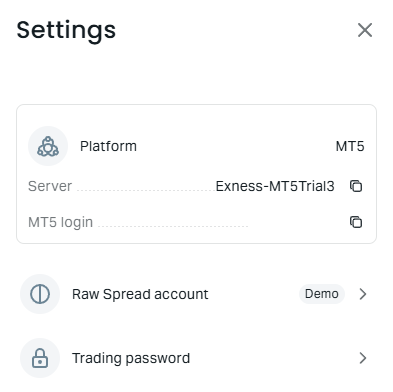
- In MT5 on a computer, choose Login to Trade Account in the File menu.
- Enter the MT5 login number and the trading password of the demo trading account.
- Choose the server from the demo Settings, for example Exness-MT5Trial3, and click Login.
The demo from registration uses your Personal Area password, and a demo that you open later uses the trading password that you set for it. If MT5 says “Invalid account”, our Exness login guide goes through the causes.
When Should You Move From an Exness Demo to Real?
You are ready to move from an Exness demo to real money when your plan works on a demo with your planned deposit and the lot size that you will trade.
You do not need to register again, because registration already opened a real Standard MT5 trading account. To start, you verify your profile and make a deposit. The Exness minimum deposit guide shows how much the first deposit needs to be.
If even 0.01 lot is too large for your deposit, a Standard Cent trading account trades at 1/100 of that size, so every profit and loss is 1/100 too. A $20 loss on 0.01 lot becomes $0.20. The Exness account types guide compares it with the other accounts.
A real trading account can also pay you money back, which a demo cannot. With ForexFanClub as your partner, part of the spread on every lot that you trade comes back to you as a rebate.
- New to Exness Register at Exness with the button below, and type fanclub_en in the Partner code box, because the form leaves it empty. The Exness rebate guide shows each step.
- Already with Exness If you registered without our partner code, you can ask Exness in the live chat to make ForexFanClub your partner. The Exness partner change guide shows the message to send.
Exness Demo Account FAQ
- Does Exness have a demo contest?
-
No. Exness has no demo contest or trading competition. Its Help Centre and its website have no page for one.
- Can an Exness demo account become a real trading account?
-
No. A real trading account at Exness is a separate trading account, and your demo stays as it is. Both are in the same Personal Area, on the Real and Demo tabs of My accounts.
- How long do other brokers keep a demo account?
-
It differs a lot, and some close an unused demo account in under a month. Our forex demo account comparison shows the limits across brokers.
Where the facts come from:
Sources and how we checked them
Our own Personal Area
We read the Open account screen, the demo set-up screen and the Settings of our demo trading accounts in our own Exness Personal Area on 22 October 2026. The registration balance of $10,000 comes from the public Exness demo trading account page on the same day.
The Exness rules
The demo account types, the Set Balance steps, the deletion of unused demo accounts, the leverage limits and the Unlimited leverage conditions come from the Exness Help Centre, read on 22 October 2026. The Help Centre asks for a sign-in in some countries, so we link to the Exness pages that open without one.
The gold example
0.01 lot of gold is one ounce at Exness, from the contract size in our margin tool’s data. The $200 deposit is an example, and the loss is the same on every Exness account type except Standard Cent.
Which Page Do You Need Next?
Once your plan works on the demo, the next step is choosing the real trading account and your first deposit. The pages show the account types, the minimum deposit, the logins and the demo limits at other brokers.
Once the new Exness trading account is open, add it to Forex FanClub. The member area lists every rebate payment day by day, across every broker you use. Registration is free and takes an email address.

Produced and operated by Forex FanClub
Person responsible: Hiroki Sakaida, founder of Forex FanClub
Hiroki Sakaida decides what our content and services cover and which features they offer. He also checks content and functionality and decides on revisions and publication. Our Content and Service Policy explains how we produce and check our content and services, including our use of AI.
Risk warning: Forex and CFD trading involve leverage, and you could lose all the money you invest. This article and tool provide information, not investment advice. The amounts shown are calculated from the collected data and do not guarantee the amounts that will apply to your own trades, or any future profit.
Affiliate disclosure: This article contains Exness referral links. Forex FanClub receives referral commission based on registrations and trading through these links.