

Exness support answers 24/7 in English, Hindi and five more languages, from the Support hub in your Exness Personal Area.
Checked on 31 October 2026
This guide shows which Exness channel answers your question fastest, where each one is, and how to tell a real Exness contact from a fake one.
Most of the support options open after you sign in, so start from the Exness sign-in page. If you are new to Exness, you can register on the same page.
Contents
Which Way Should You Contact Exness?
The quickest way to reach Exness support is the Support hub in your Exness Personal Area, because the ticket, the live chat and the call all start there. You can choose the best channel for your question.
- A quick question
Live chat is the fastest, because the Exness AI Assistant answers at once, at any hour. - Money or documents
A ticket is the best choice for a missing deposit, a late withdrawal or a verification problem. You choose a category, so the ticket goes to an agent who knows the topic, and Exness replies within 24 hours. - Talking to a person
The call button under Still need help? connects you to the support team by voice. - Before you register
On the Exness contact page (opens in a new tab), the Exness AI Assistant also works without a sign-in. A ticket and the call need a Personal Area.
A ticket is slower than the chat, but a ticket keeps a written record. You can attach screenshots, follow the ticket status under My tickets, and come back to the same ticket later. So when the problem is about your money, the ticket is the channel that keeps the whole case in one place.
Does Exness Have a Customer Care Number?
Exness shows no customer care number on its public contact page, and the call option sits in the Support hub of your Exness Personal Area. The Exness Help Centre describes the call option as a number under Still need help?, so what you see there can depend on your country.
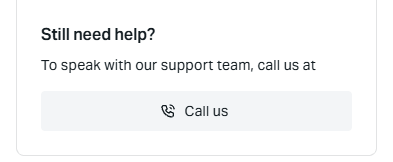
In our own Personal Area, the Still need help? box says “call us at” with no number after it. The Call us button starts a call in the browser instead, on a phone and on a computer alike, and the browser first asks for access to the microphone.
So you can call from a phone or a computer with a microphone, and you need to allow the microphone when the browser asks.
Exness counts a phone call as official only when the call comes from the number in your Personal Area. A “customer care number” on another website or in a social media post may not belong to Exness.
So you should never give your password or a verification code to a caller. Before you trust a call, check the number in your own Support hub.
What Is the Exness Support Email?
Exness sends emails only from addresses that end in @exness.com or @mail.exness.com, such as support@exness.com. For a question about your trading account, the Exness contact page sends you to a ticket in the Support hub instead.
A ticket does the job of an email, and it works better than an email in two ways. Exness replies within 24 hours, and the answer stays in your Personal Area next to the question.
You can use support@exness.com to report an email that looks like Exness but comes from another address. An address that ends in anything else is not Exness, even when the name of the sender says Exness.
How Do You Open an Exness Ticket or Live Chat?
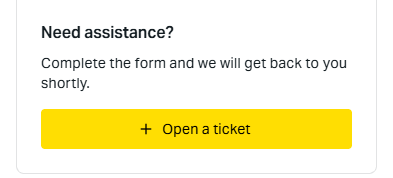
You open both a ticket and the live chat from Support hub, a section in the menu of your Exness Personal Area. Under Contact us, the page has three boxes: Need assistance? for a ticket, Live chat for the chat and Still need help? for a call.
Sign in to your Exness Personal Area (opens in a new tab) and open Support hub in the menu.
In the Need assistance? box, tap Open a ticket.
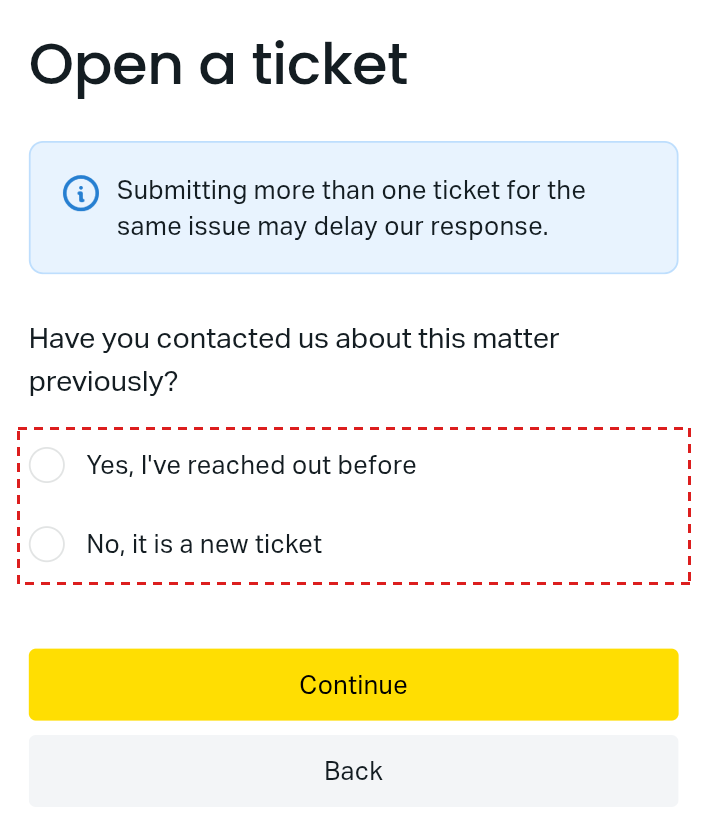
Answer whether you have contacted Exness about this matter before. For a new problem, choose No, it is a new ticket and tap Continue. If you already wrote about the same problem, choose Yes, I’ve reached out before, because a second ticket on the same issue can delay the reply.
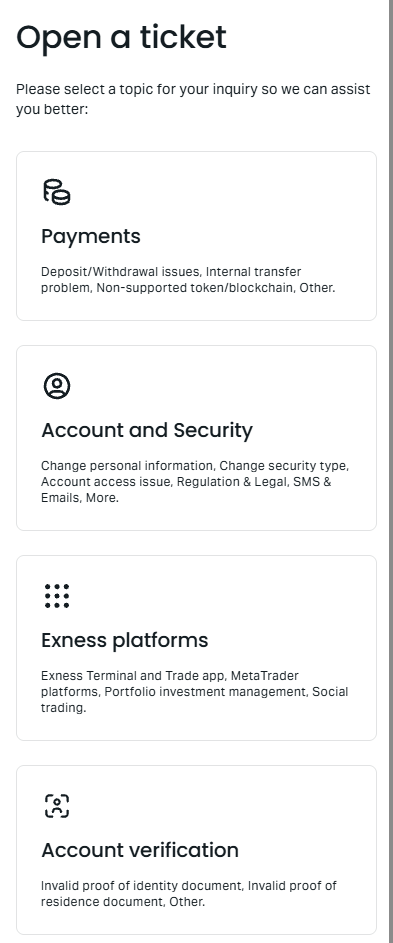
Choose the topic, such as Payments for a deposit or a withdrawal, and then the issue. Add your trading account number, what happened and a screenshot.
Check the summary and tap Submit. The ticket then appears under My tickets with its status.
The trading account number is the detail that Exness asks for first, because the number tells the agent which deposit or trade you mean. So you can copy the number from My accounts before you start the ticket.
For the chat, you tap Start chat in the Live chat box. The AI Assistant answers first, and you can send a screenshot during the chat with the paperclip icon.
Is Exness Support Open 24/7?
Exness support is open 24 hours a day, 7 days a week in English, Hindi, Urdu, Arabic, Chinese, Thai and Vietnamese. Exness answers in 14 languages, and the other seven languages have set hours.
| Support hours | Languages |
|---|---|
| 24/7 | English, Hindi, Urdu, Arabic, Chinese, Thai, Vietnamese |
| Limited hours | Bengali, French, Swahili, Indonesian, Korean, Portuguese, Spanish |
The Exness contact page shows each language as Online or with the time until support in that language opens. So if your language is offline, you can write in English or Hindi, and an agent is online at any hour.
Support is open at the weekend, but some answers still take longer. Weekends and holidays are not working days at Exness, so any request that needs a check, such as a document, may wait until the next working day.
Does Exness Support Use WhatsApp or Telegram?
No. Exness support does not chat on WhatsApp, Telegram, Facebook Messenger, Instagram or any other messaging app. In some countries, Exness sends verification codes through WhatsApp or Telegram, but those messages carry only the code.
Exness support never starts a conversation on those messaging apps and never asks for your passwords. When an agent needs to check that you are the owner, Exness sends a Support PIN by SMS or voice message to your registered phone number, and the PIN works for 24 hours.
So a message that asks for a password, or for a code that you did not request, is not from Exness. You should not reply, and you can report the message through a ticket in your Support hub.
Exness Support FAQ
- Can you contact Exness without a trading account?
-
Yes. The Exness AI Assistant on the Exness website opens without a sign-in. A ticket and the call need a Personal Area.
If you have a Personal Area but cannot sign in, the Exness Personal Area login guide shows how to reset your password first.
- Can Exness support change my partner?
-
Yes. You ask Exness support for a partner change from your Exness Personal Area, through the chat and a short form. The Exness partner change guide shows the message to send and the form, step by step.
- Can ForexFanClub answer questions about my Exness trading account?
-
No. Only Exness can see your trading account, your payments and your documents, so Exness support is the right place for those questions.
We can answer questions about our Exness rebate, and our contact page reaches the ForexFanClub team.
Where the facts come from:
Sources and how we checked them
Our own Exness Personal Area
We looked at the Support hub in our own Exness Personal Area on 31 October 2026. The page showed Open a ticket, Live chat and Still need help?, and the call button asked for the microphone to start a call in the browser. The pictures come from a phone with the Personal Area in English on 1 November 2026, and they show the same. On 5 November 2026 we opened Open a ticket again on a phone, and it now starts with the question whether you contacted Exness before. We sent no ticket, chat message or call.
The Exness pages
The languages and hours come from the Exness contact page (opens in a new tab), read on 31 October 2026. The official email addresses, the messaging apps that Exness does not use, the Support PIN and the ticket steps come from the Exness Help Centre on the same day. The Help Centre asks for a sign-in in some countries, so we do not link to it.
Which Page Do You Need Next?
If your question is about signing in, a withdrawal or your partner, our Exness guides may answer it before support does. Each page shows the steps on the Exness screens.
Once the new Exness trading account is open, add it to Forex FanClub. The member area lists every rebate payment day by day, across every broker you use. Registration is free and takes an email address.

Produced and operated by Forex FanClub
Person responsible: Hiroki Sakaida, founder of Forex FanClub
Hiroki Sakaida decides what our content and services cover and which features they offer. He also checks content and functionality and decides on revisions and publication. Our Content and Service Policy explains how we produce and check our content and services, including our use of AI.
Risk warning: Forex and CFD trading involve leverage, and you could lose all the money you invest. This article and tool provide information, not investment advice. The amounts shown are calculated from the collected data and do not guarantee the amounts that will apply to your own trades, or any future profit.
Affiliate disclosure: This article contains Exness referral links. Forex FanClub receives referral commission based on registrations and trading through these links.